How to Automate Your Email Admin... Or Make it 1-Click
Introducing
Inbox Jetpack
If you’re still doing email the "Old Way" (formatting, adding attachments, personalizing, scheduling, tracking replies, etc.), take just 3 minutes and watch how Inbox Jetpack turns that admin work into an automated workflow in just seconds!
Inbox Jetpack (Workflow + Automation package) is an M365 / Outlook tool that automates all of your admin such as formatting, personalizing, sending, scheduling, tracking replies, updating your CRM and more.
$99 / year (per user) • 60-day money-back guarantee
Yes, I Want to Automate My Inbox. Order Now >>
Automate Your Inbox in 3 Steps
If you have an M365 (Outlook) subscription
then you already have everything you need.

1) Load your contacts into Jetpack’s Master Queue Sheet.
2) Add your emails (subject line & body)
3) Inbox Jetpack runs the workflow for you, including adding attachments, tracking replies and scheduling follow ups!
Inbox Jetpack
automates your email admin
Replace Expensive CRM Software: Setup "infinite email queues" in just seconds. Add contacts & make edits on the fly. Work alongside any CRMs, Autoresponders or other workflow... and so much more to list.
Outbound first workflow: Open warm doors for dialing with a responsive and transparent suitcase CRM that keeps you 3 steps ahead of your prospects. All the information you’ve sent them, as well as the ability to queue conversation & voicemail tracks as you reach them on the phone.
Per Contact Basis Editing: stagger emails and personalize sequences in an instant.
Real-Time Editing: edit on the fly and make changes real-time without any interruption or starting over.
Advanced Automation & Personalization: Advanced call to actions and customizable cadence behavior mimics organic human sending.
Reply Aware Tracking: see who replied and who you’re still waiting to hear from automatically tracked for you. Inbox Jetpack surfaces the signals that matter without clutter.
1-Click or Automated: all the details you want in one panel view right upfront with your next step either 100% automated or 1-click away.
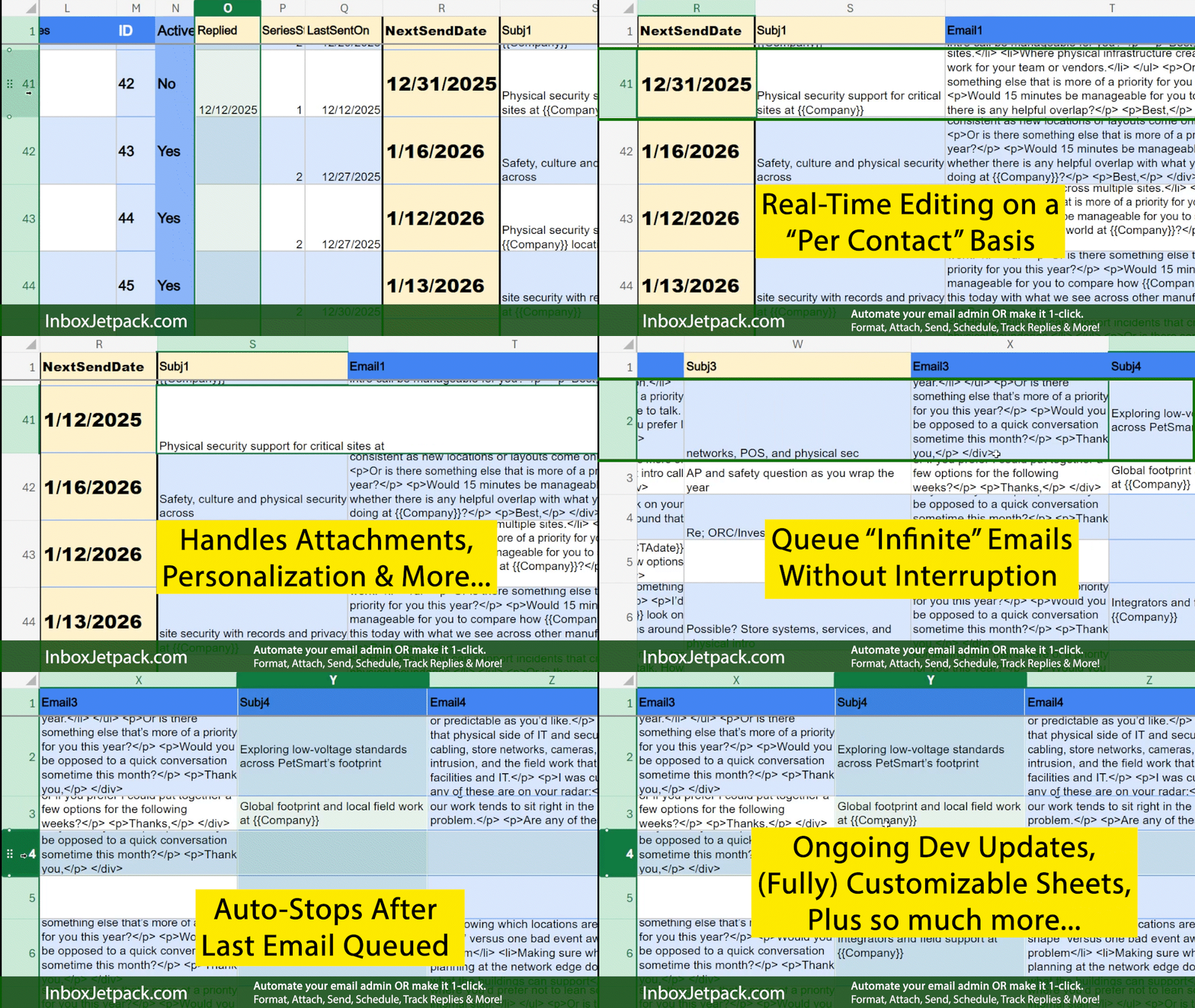
What Inbox Jetpack automates
Once you see how fast and easy it is to create effective outbound, it wouldn't be unusual if you replace your CRM or autoresponder outright!
Why Inbox Jetpack?
End Email Admin Hell. Ditch the slog of manually sending emails and sequences. You are not a robot.
No lock ins or forced migration. Augment any current workflows and CRM (including pushing data to your CRM).
You own the system & your work. Your lists, templates, and data aren’t trapped in vendor/corporate databases. Migrate your entire queue with 1-click!
Transparent control. All the data you want to see from one view. You’ll know what’s been sent, what’s queued and everything can be adjusted real-time.
Real-Time Updates. Make any changes on a per contact basis without interrupting the existing flow. Adjust dates, edit email content, stop outreach and more on a whim.
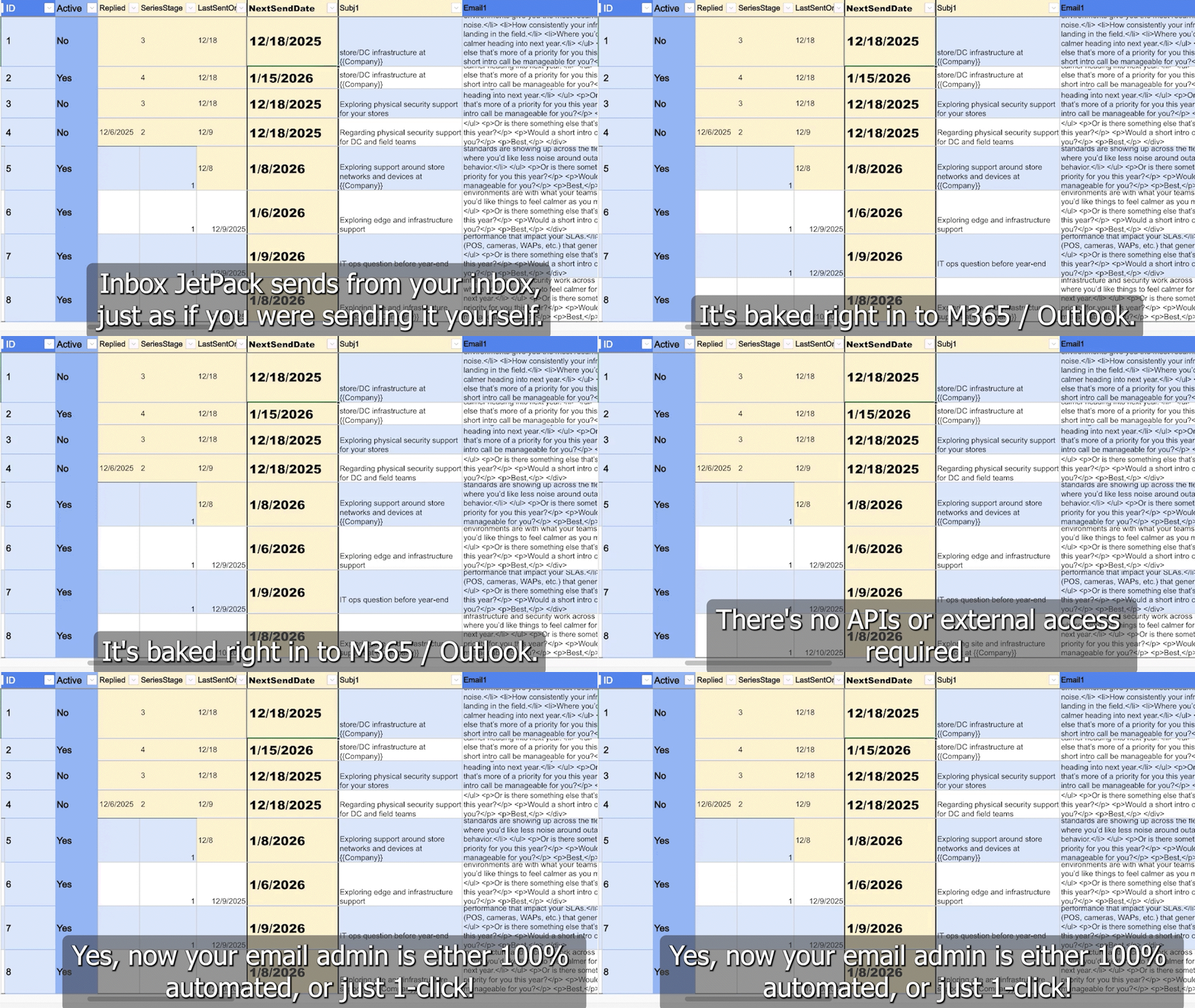
Copy & Paste friendly. 1-Click sending and calling. Zero friction professional workflow for maximum output.
Who Can Jetpack Help?
Designed for those who live in Outlook and want more output with less admin:
Launch Pricing:
$99 / year (per user)
Powerful, yet not overpowering. You’re moments away from having Inbox Jetpack's functionality in your inbox, no risk for 60 days.
White glove onboarding with free assisted account setup & training for all users, includes:
FAQ:
Q: Does it send from my email?
Yes. It sends directly from your Outlook/Microsoft 365 mailbox (i.e. from: youremail@domain.com). As we grow, we’ll expand into additional mailboxes (Q2 '26).
What do I need to use it?
If you have already have an M365 / outlook, then you’ll be up and running in less than 5 minutes out of the box. Free assisted install/setup support is available & waiting. No external access / API required.
Q: Does Jetpack track for replies?
Yes. Inbox Jetpack’s “reply aware” feature monitors for replies by default. Jetpack will mark the date replied. And if you choose, will stop any future follow ups. This way, you can keep your queue’s clean.
What can I customize? Sending Limits? Email Rotation?
Yes, you control everything. You can set send windows, intervals, and stop rules. Remember, it's exactly as if you were sending from your M365/Outlook account, yet it's automated. All standard M365 usage limits applies.
Heavy cold outreach? Inbox Jetpack helps you protect your primary inbox by letting you run high-volume outreach through dedicated secondary accounts, with throttling and stop rules (reply-aware)
Q: How does it work with an existing CRM?
Inbox Jetpack simply helps you do anything that you would normally do, just faster.
If you're already sending emails or using a CRM, then Inbox Jetpack can work right alongside it. Many are sending specific follow ups, preparing tailored content for their audiences, or using it as a much simpler way to manage all of their replies.
However you use email today, Inbox Jetpack just makes it faster.
Q: What if I cancel?
And if you cancel, your Queue Sheets will still be accessible by you. You'll own all your data and workflows. It's as easy as sending admin @ InboxJetpack(dot)com a message and we'll get back with you as soon as we see it.
And at this low rate, I'm confident you'll run with the Jetpack lifestyle for life.
Does it integrate with my CRM?
Connect Inbox Jetpack with your favorite tools to automate tasks, keep outreach, data, and workflows in sync without manual effort. plus, Inbox Jetpack just sends right from your inbox and can be easily customized to fit your unique process.
Automate Your Email Admin Now
$99 / year (per user) • 60-day money-back guarantee
Yes, I Want to Automate My Inbox. Order Now >>
Questions?
ReplyForDemo@InboxJetpack(dot)com
Call/Text: 612 263 438Six
(Ask for Jake @ InboxJetpack)